For the client, being organised is dignity.
Your clients have already had to swallow a lot of pride to be here. They've asked for help, travelled to your centre, waited their turn. The least your food bank can do is be organised, warm, and ready. That starts with the team behind the counter.
Volunteer records, session rotas, DBS compliance, and a self-service portal that gets your team briefed and confirmed before Saturday morning.

Session confirmed
12 volunteers briefed for Saturday
Monday
sessions planned for the week
Wednesday
headcount confirmed
Thursday
volunteers briefed and ready
Saturday
doors open on time
The coordinator's week
The session starts at 9.
The rota should be settled by Wednesday.
You can't open the doors understaffed. You can't brief the team if you don't know who's coming. Every week, the same three problems.
Saturday 8:50am. Doors open in ten minutes. You've got two gaps on the rota.
You need six people for this to run. You have four confirmed. You're sending WhatsApps while clients are already gathering outside. This is not the moment to find out.
New volunteer arrives. Nobody briefed her. She doesn't know what to say to the person in front of her.
She's kind. But she's anxious, and anxious shows. Your client has already had to swallow a lot of pride to be here. An uncertain welcome is not a neutral experience for them.
Wednesday afternoon. You're still not sure who's coming Saturday.
You're scrolling message threads, piecing together whether you have minimum cover. You spend more time working out if you can run the session than actually running it.
"Your clients don't see the rota. They see the team. Make sure the team is ready."
With OnNuma
Confirmed by Wednesday.
Briefed by Thursday.
When the headcount is settled before the week ends, when every volunteer arrives knowing their role, and when your safeguarding is covered long before the session starts - you stop firefighting and start running things properly.
Built for people who
volunteer around a busy life.
A lot of food bank volunteers don't sit in front of a computer. They're fitting this around a job, caring responsibilities, other commitments. MyHub gives every person who gives their time their own private portal - accessible from any phone, no app, no password.
When volunteers can manage their own availability and confirm shifts themselves - with one tap - your job stops being chasing and starts being coordinating.
A text gets there faster than an email.
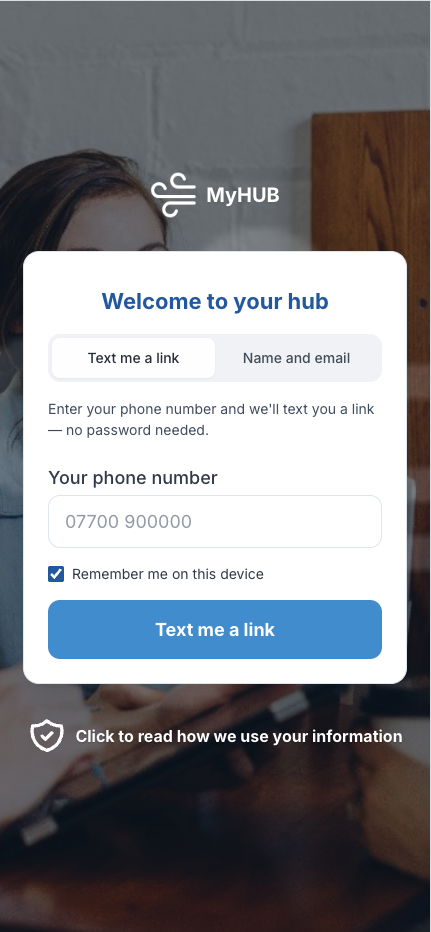
Not everyone on your team checks email every day. Add SMS and a magic link arrives by text instead - they tap it, they're in. No login to remember.
Their limits, on record.
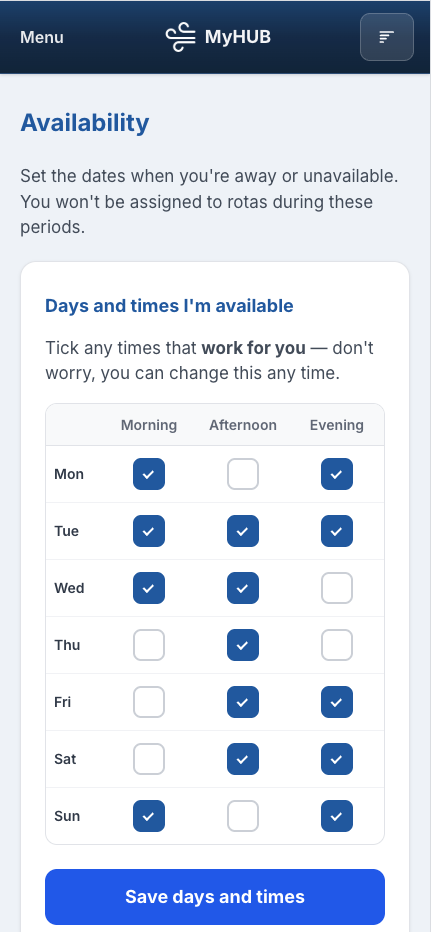
They set the days and times that work for them. The rota only offers sessions they've already agreed to in principle. You stop being the person who asks too much.
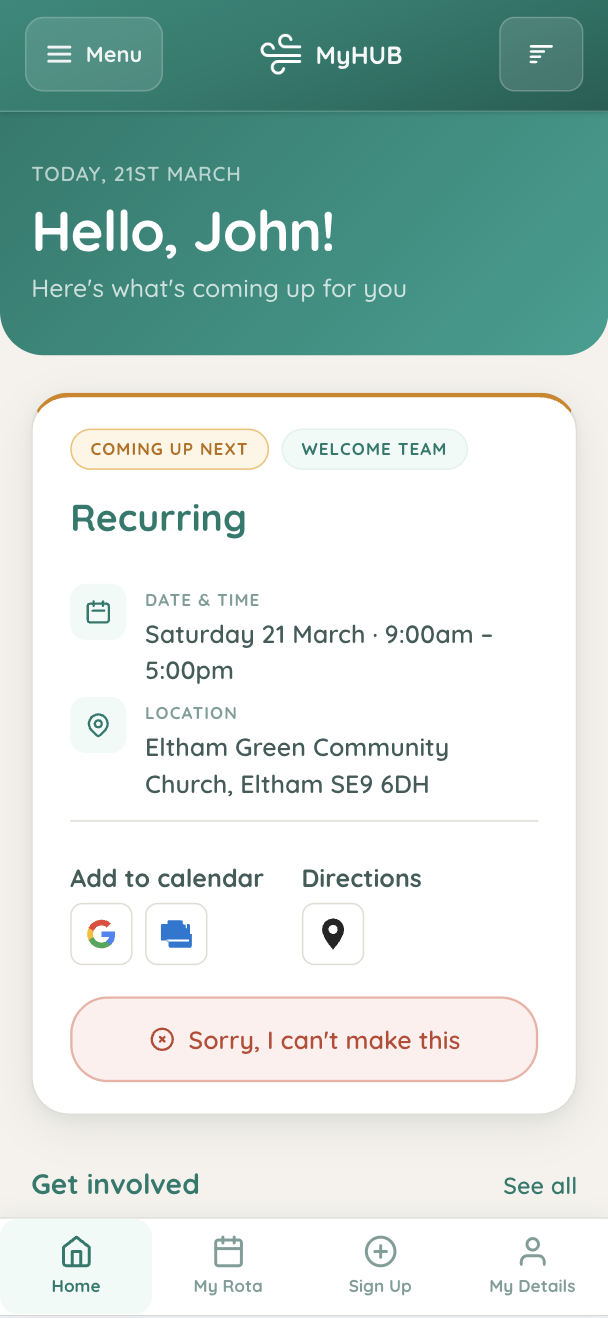
One click to confirm. You know your headcount 48 hours out.
They see their upcoming sessions, can flag a clash, add to their calendar. You're notified instantly. No WhatsApp threads. No Saturday morning panic.
0
passwords needed
0
apps to download
100%
mobile-friendly
Included
on every plan, free
Volunteer Database
Know who's available
before you need them.
Every volunteer who gives their time to your food bank has a story - how long they've been with you, what they do, when they're free. OnNuma keeps all of that in one place, so you're building rotas from real availability instead of guesswork and hope.
- Volunteer status - Active, Lapsed, Former (customisable to your language)
- Availability by day and time - never ask someone you know can't make it
- Full session history - every shift, every role, every month
- Private coordinator notes - visible only to admins, never to the volunteer
- One-off slots for corporate groups, students, or occasional volunteers
Every role, every session, colour-coded before the week starts.
- Green: confirmed · Amber: invited · Red: gap
- Gaps visible on Monday - not Saturday morning at 8:50
- Publish in one click - all volunteers notified instantly
See who is assigned where across the whole week.
- Filter by role, site or day
- Spot over-committed volunteers before they quietly pull back
- Reassign with one action and notify automatically
A personal view for every volunteer - no passwords, no app.
- Sign in via magic link - email or SMS
- Set availability so you're never asked when they can't help
- Confirm or flag a clash - you're notified instantly
Session Scheduling
This Saturday's session
confirmed by Wednesday.
Volunteers tell OnNuma when they're available. You build sessions from people who've already said yes. Gaps show in red - not at 8:50am on Saturday, but on Monday when there's still time to fill them without panic.
You can't open the doors understaffed. But you also can't keep asking the same people to fill every gap - they'll keep saying yes until they stop showing up entirely. The rota should protect your team as much as it protects the session.
"I used to spend Wednesday evening scrolling through message threads trying to piece together who was coming Saturday. Now I just open the rota and I can see it. It sounds like a small thing but it completely changed how I feel about the week."
Communications
Arrive knowing your role.
Not guessing at the door.
A volunteer who arrives knowing what they're walking into can be warm and present from the moment they step through the door. One who arrives uncertain - and has to be briefed in front of clients - cannot. That uncertainty is visible. It matters.
Shift confirmation emails go out automatically with each person's name, role, and what to expect. Nobody arrives wondering if they're needed.
Hi {{first_name}},
A quick reminder that you're on {{role_name}} this Saturday at {{shift_time}}. We're really grateful for your time.
If anything has changed, just flag it in MyHub or reply to this email - no problem at all.
Built for the way food banks work.
The features that make the difference aren't always the obvious ones. They're the ones that handle the human side of running a volunteer programme - the briefings, the one-offs, the wellbeing, the language that's yours.
Volunteers arrive knowing what they're walking into
A confirmation email that says their name, their role, and what to expect. A volunteer who arrives briefed can be warm and present from the moment they step through the door. One who arrives uncertain cannot.
Corporate groups, students, one-offs - all on the same system
Build a slot, share a link, see who's confirmed. One-off bookings sit alongside your regulars in the rota without creating orphaned records or coordination chaos.
Consent, health info, and policies - before the first shift
Build a custom induction form - health disclosures, GDPR consent, emergency contacts, code of conduct. New volunteers complete it once, in MyHub, before their first session. You never have to remember to chase it.
Volunteer, Helper, Guest - your words throughout
Rename anything across the platform. Volunteer, Shift, Session, Role - the whole system and every email sent to your team can use the language your food bank uses, not ours.
Catch the person who's quietly doing too much
Three cancelled shifts in eight weeks triggers a quiet flag - not a reprimand. A prompt for the coordinator to check in. And when someone has covered eight sessions in a row without a break, that shows too.
Safeguarding and lone-working policies where people find them
One library in MyHub. Volunteer code of conduct, safeguarding policy, GDPR notices, lone-working guidance. Volunteers read what they're meant to read - and you'll know they have.
The worst moment to discover
an expired DBS is always
the moment you discover it.
Because it's always right before a session. Someone is standing in front of you, the session is starting. OnNuma moves that discovery to six weeks earlier - when there's time, space, and no one standing in front of you.
- Renewal reminders 60 days before expiry - automated, not manual
- Track level: Basic, Standard, Enhanced, Enhanced Barred
- Safeguarding training records with 3-year renewal cycle
- Mark roles as DBS-required - warned when assigning without cover
- Works for volunteers supporting vulnerable adults or families
- Update Service registration - lifelong cover flagged where it applies
Children & Youth
Included on FreemiumIf your food bank runs a Saturday kids club while parents collect, or if you support families with young children at the centre, Children & Youth tools help you record consent, track attendance, and link safeguarding records to the DBS data you already hold.
Pricing
Start free. Add what you need.
The core hub is free for up to 20 volunteers. Upgrade to Community when you need emails, forms, and branding.
Free
Start today. No card needed.
- Volunteer database (up to 20)
- Rotas, shifts & calendar
- MyHub volunteer portal
- Lists & team management
- Assignment email reminders
Community
RecommendedEmails, forms, branding, and multi-site.
Scales with volunteer count
- Everything in Free
- Multi-site support
- Email newsletters & templates
- Custom forms & data collection
- Your food bank's branding
- Priority support
Optional add-on
Add SMS Notifications to Community when you want session reminders or magic-link login by text.
SMS Notifications
Text message reminders. 100 SMS/month included. Additional SMS available in blocks of 100 at £8 per block.
£8
/month · £80/year
Common questions
Things coordinators ask before they start
Do my volunteers need to create an account or remember a password?
No. Volunteers never create an account and never set a password. When you publish a session rota, each person gets a personalised link by email (or text, with the SMS add-on). They tap it and they're in - straight to their sessions. Nothing to download, nothing to register for. If they close the tab and want to return, they request a fresh link in ten seconds.
Isn't sending a link less secure than a proper login?
No - it's the same principle as a bank one-time passcode or a password reset email. The link is unique, single-use, and expires. It proves the person has access to that email address or phone. There's no password to forget, guess, or steal. Most volunteers find it far easier than remembering credentials for a system they use once a week.
We tried a system before and volunteers just didn't use it.
That's the most common thing coordinators tell us. Most volunteer systems are built for the person running them, not the person using them. MyHub requires no registration, no app, and no learning curve. A link arrives. They tap it. They see their session. That's it.
What about one-off volunteers or groups?
Regular volunteers get full records, availability, and MyHub access. One-off volunteers or community service groups can be managed through custom forms and attendance registers without the full onboarding flow. You decide how much detail you need for each person.
What if some volunteers don't have email?
With the SMS add-on, volunteers can receive their session link by text instead. If a volunteer has neither, you can manage their sessions directly from Hub without them needing MyHub access at all.
Begin today
The people in that queue have
already done something hard to get there.
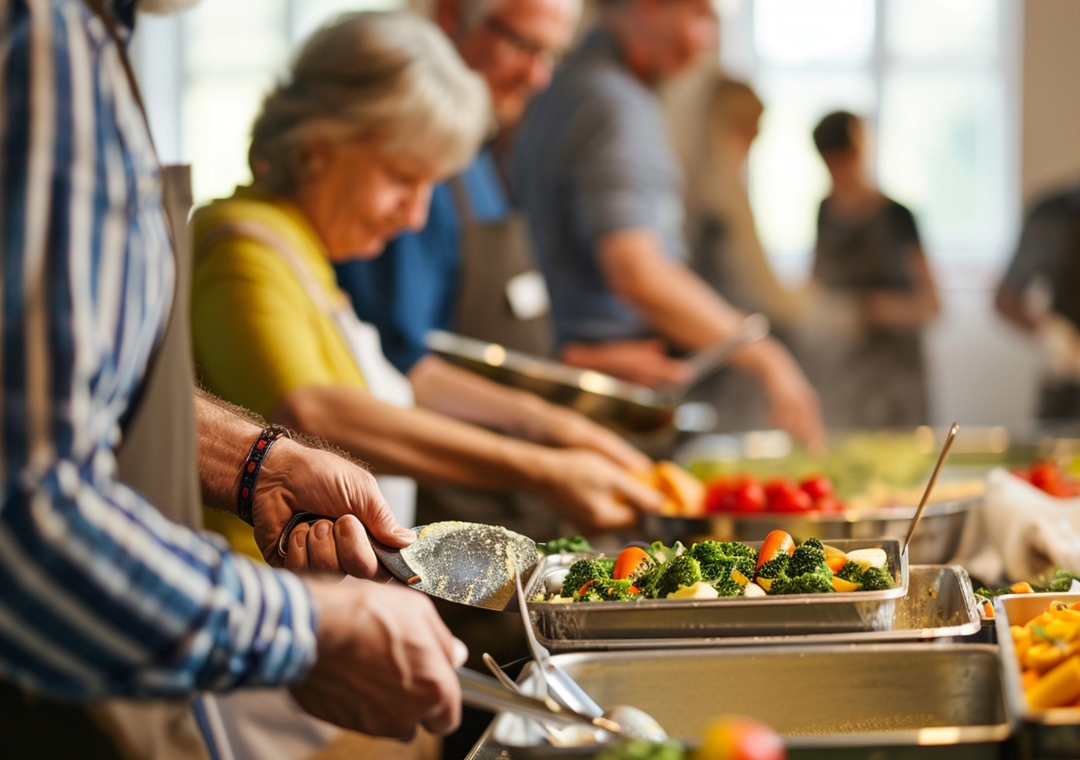
They've admitted they need help. They've found a referral, travelled to your centre, waited their turn. The least your food bank can do is be organised, warm, and ready. That starts with the team knowing they're needed - and knowing what to do. Free to start. Optional SMS add-on from £8/month on Community. No credit card, no commitment.
Start free